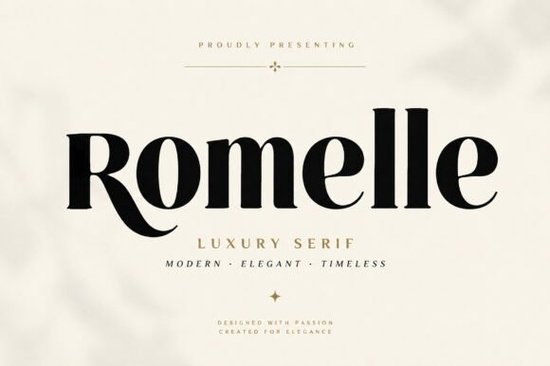
If you're looking for a serif font that feels both timeless and fresh something that works just as well on a perfume bottle as it does in an Instagram story Romelle Font is worth your attention. It’s not overly ornate, but it’s never plain either. Designed with real-world use in mind, Romelle balances contrast and grace in a way that makes luxury branding feel intuitive, not forced. Whether you’re updating your small-batch candle label, laying out a boutique hotel’s welcome brochure, or designing wedding invitations for a client who values quiet confidence over flash, this typeface supports your intent without shouting over it.
Who actually uses Romelle and why?
Designers working with fashion, beauty, and lifestyle brands often reach for Romelle when they need typography that signals quality without leaning into clichés like script flourishes or heavy blackletter. Its sharp serifs and open letterforms give it clarity at small sizes (think product tags or social bios), while its refined curves hold up beautifully in large-scale applications like magazine covers or wall signage.
Print-on-demand sellers tell us Romelle stands out in crowded marketplaces not because it’s loud, but because it looks intentional. A t-shirt with a subtle Romelle-based logo reads differently than one set in a generic sans-serif: it suggests care, consistency, and audience awareness. Small business owners in the wellness, jewelry, or home goods space also report strong customer resonance when using Romelle for packaging it pairs especially well with soft-touch papers, matte finishes, and minimalist layouts.
What makes Romelle work where other luxury serifs don’t?
It’s not just about aesthetics. Romelle includes practical features that reduce friction in real projects:
- Multilingual support, including extended Latin characters helpful if you serve international customers or design for bilingual markets
- Ligatures and alternates that activate automatically in OpenType-aware apps (like Adobe Illustrator or Affinity Designer), giving you typographic nuance without manual tweaking
- PUA encoding, so special characters and stylistic sets appear reliably across platforms and software versions
- Cross-platform compatibility you can install and use it the same way on Mac or Windows, no workarounds needed
This isn’t a “designer-only” font. If you’ve used Canva or Cricut Design Space, you’ll find Romelle straightforward to load and apply. And because it includes full punctuation, numbers, and uppercase/lowercase sets, you won’t hit a wall halfway through a project.
How does Romelle compare to similar serif fonts?
Romelle sits comfortably between classic elegance and modern restraint. It’s bolder and more structured than Galvore Font, which leans softer and more editorial great for long-form reading but sometimes too delicate for packaging. Compared to Atlas Grove Font, Romelle has higher contrast and tighter spacing, making it more versatile for headlines and short-form impact. You’ll notice the difference most clearly in vertical rhythm and letterfit: Romelle’s spacing feels balanced even at small sizes, where some high-contrast serifs can look uneven or cramped.
If you’re already exploring serif options on Creative Fabrica, it’s worth comparing how each behaves in your actual workflow not just in mockups. Try setting the same phrase (“Handcrafted Since 2018”) in Romelle, Galvore, and Atlas Grove side by side in your layout tool. You’ll likely see Romelle hold its presence without needing extra tracking or leading adjustments.
Where do people get the most value from Romelle?
Real usage patterns show strong returns in five areas:
- Beauty & cosmetic packaging especially for clean, botanical, or gender-neutral brands
- Fashion logos and apparel tags works well with monochrome or muted color palettes
- Editorial design for indie magazines or newsletters headings pop, body text remains legible
- Wedding stationery suites couples appreciate its quiet sophistication over trendier scripts
- Social media templates for service-based businesses e.g., yoga studios, interior designers, or skincare consultants
One craft business owner told us she switched her entire Etsy shop branding to Romelle after noticing a 20% increase in saved listings she attributes it to perceived professionalism and visual cohesion across thumbnails, banners, and product photos.
Try it with what you already have
You don’t need to overhaul your whole toolkit to test Romelle. Start small: replace the headline font in your next Canva social post, swap it in for your Cricut vinyl quote project, or use it for the “About” section on your Squarespace site. Pair it with a neutral sans-serif (like Inter or Montserrat) for body text it’s designed to complement, not compete.
For reference, you can view the full Romelle Font preview and licensing details directly on Creative Fabrica.
Before downloading: Check your software’s font menu after installation some apps require a restart. If you’re using Romelle in Cricut Design Space, upload it as a system font first; if you’re in Illustrator or InDesign, make sure “OpenType Features” are enabled in the Character panel to access ligatures and alternates.
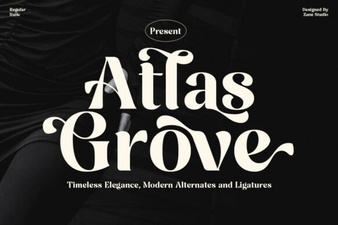 Atlas Grove Font: Elegant Design for Creative Projects
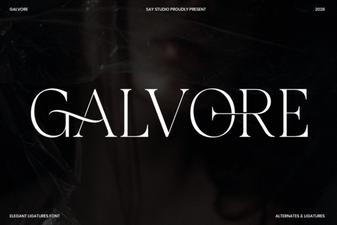 Galvore Font: Elegant & Versatile Design Tool
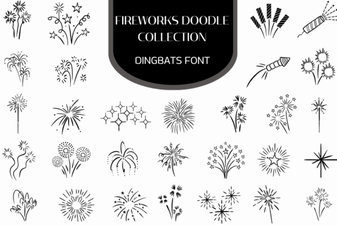 Firework Doodle Font Collection for Creative Projects
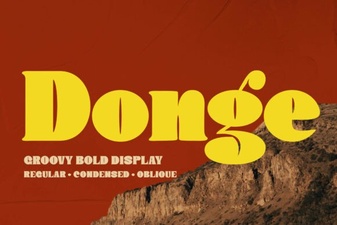 Donge Font: Elegant & Versatile Design Inspiration
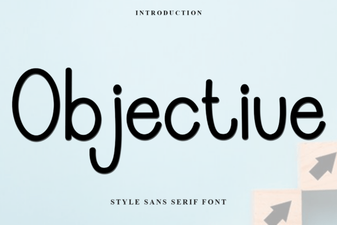 Objective Font: Clean, Versatile Design for Modern Projects
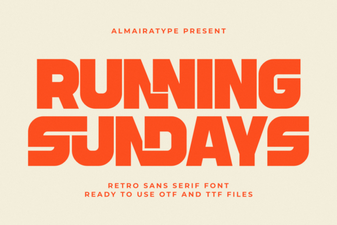 Running Sundays Font: a Playful, Dynamic Typeface for Runners