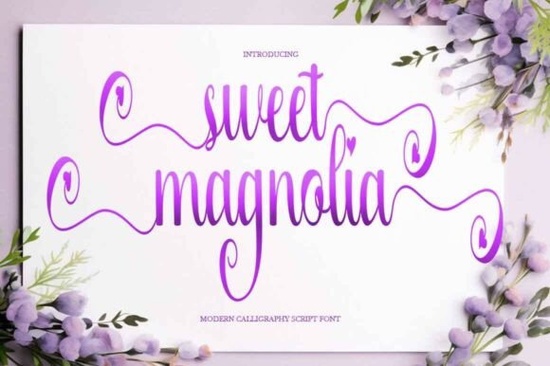
If you're looking for a script font that feels handmade, heartfelt, and just a little bit magical especially for Valentine’s Day, baby announcements, or small-batch packaging Sweet Magnolia Font is worth your attention. It’s not overly ornate or hard to read, but it carries real personality: soft lavender blossoms frame each letter, tiny love hearts nestle inside loop terminals, and the purple-to-pink gradient adds gentle warmth without clashing with print or digital backgrounds. Designed for clarity and charm, it works well at medium to large sizes think greeting cards, shop banners, or nursery wall art without needing heavy editing or kerning tweaks.
When does Sweet Magnolia work best?
This isn’t a font for body text or legal disclaimers. It shines where emotion and intention matter most. Think of it as your go-to for projects where tone is half the message:
- Valentine’s Day stationery custom love notes, wedding invites, or “just because” postcards
- Small-batch food branding like a local bakery’s logo or cupcake box labels
- Personalized nursery prints names spelled out in soft curves, surrounded by blossoms
- Craft packaging soap wraps, candle tags, or embroidery hoop gift sets
- Social media graphics especially Instagram carousels or Pinterest pins with romantic or spring-themed copy
Because the swashes are monoline (not thick-thin contrast) and the bounce is subtle not exaggerated it stays legible even when scaled down slightly. That makes it more versatile than some ultra-decorative scripts that vanish at smaller sizes.
How does it compare to other popular script fonts on Creative Fabrica?
If you already own or have tried Sunny Hopes Font, you’ll notice Sweet Magnolia leans softer and more floral less sun-drenched energy, more quiet tenderness. Perfect Sunrise Font has similar flow but bolder entry strokes and warmer orange tones; Sweet Magnolia swaps that for cooler lavender and intentional heart details. For graduation or milestone projects, Graduation Font offers cleaner, more formal elegance while Sweet Magnolia keeps things light and personal.
It also differs from playful options like Kidoodle Font, which uses bouncy letters and cartoonish shapes for kids’ parties or school projects. Sweet Magnolia is mature enough for boutique branding but still warm and inviting not stiff or corporate. And unlike high-contrast calligraphy fonts such as Royallique Font, it doesn’t require careful spacing adjustments to avoid visual crowding.
What file formats and features come with it?
You’ll get OTF, TTF, and WOFF files so it works in Canva, Cricut Design Space, Adobe apps, and web projects. The font includes full uppercase and lowercase letters, numbers, punctuation, and multilingual support for Western European languages (including accented characters like é, ñ, ü). There’s no separate “swash alternate” file you access the decorative entry/exit strokes directly through OpenType features (standard in Illustrator, Affinity, and newer versions of Canva).
No extra plugins or font managers needed. Just install and start typing. If you’re using it for cutting machines, test a single word first the swashes extend beyond the baseline, so check your cut preview before sending to your machine.
Is it suitable for commercial use?
Yes. Like all Creative Fabrica fonts, Sweet Magnolia comes with an extended commercial license. You can use it on physical products you sell (like mugs, tote bags, or greeting cards), in client work (logos, social graphics, flyers), and even in digital templates you resell as long as you follow Creative Fabrica’s standard license terms. No need to credit the designer unless you choose to.
A few practical tips before you download
Try pairing Sweet Magnolia with a clean sans-serif (like Montserrat or Poppins) for contrast especially in logos or product packaging. Avoid pairing it with other decorative scripts; two competing fonts will dilute impact. If you’re printing on kraft paper or textured cardstock, consider using a slightly heavier weight version (if available) or adding a subtle white stroke to improve readability.
And if you’re building a brand system, test how the font looks across devices: sometimes gradients don’t render the same way on older Android phones or email clients. For maximum consistency, consider saving key phrases as outlined vector graphics for digital use.
For reference, you can view the official listing for Sweet Magnolia Font on Creative Fabrica.
Before you add it to your cart:
- Check your project size best used at 36pt and up for print, 48px+ for web
- Preview the swash behavior in your design app some programs auto-enable them, others require manual activation
- Test print a sample on your intended paper stock, especially if using pastel gradients
- Make sure your software supports OpenType features if you want full access to alternate swashes
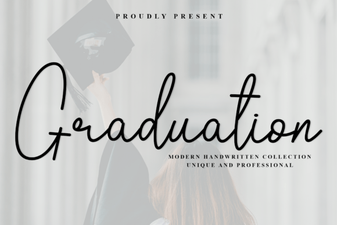 Elegant Graduation Fonts for Your Big Day
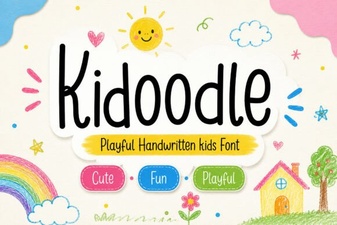 Kidoodle Font: Playful & Versatile Design Tool
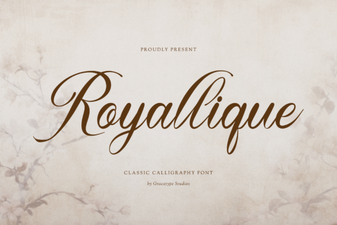 Royallique Font: Elegant Design & Creative Typography
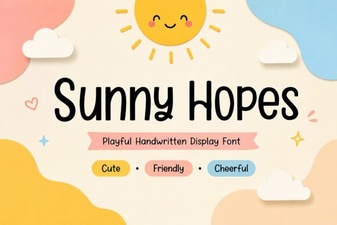 Sunny Hopes Font: Cheerful & Versatile Design Tool
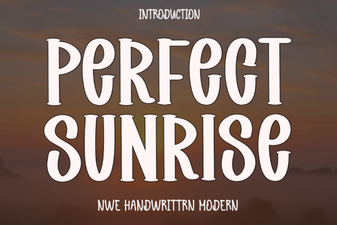 Perfect Sunrise Font: Creative Design Inspiration
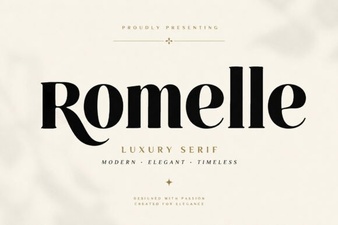 Romelle Font: Elegant & Versatile Design Choice