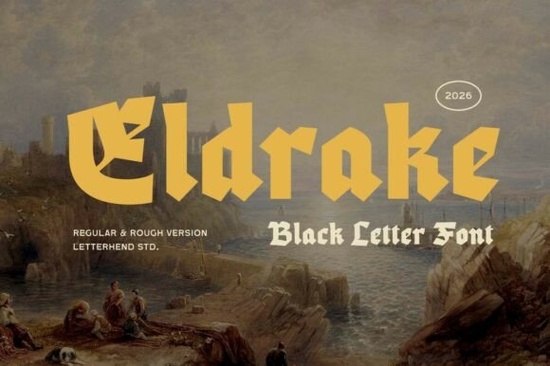
If you're looking for a blackletter font that feels authentically medieval but still works cleanly in modern design projects, Eldrake Font is worth your attention. It’s not overly ornate or hard to read instead, it balances bold, angular letterforms with thoughtful spacing and consistent weight. That makes it practical for things like t-shirt prints, book covers, wedding invitations, or even small business logos where you want presence without sacrificing clarity.
What kind of projects does Eldrake work well for?
Because of its strong structure and legible blackletter style, Eldrake fits naturally into both digital and physical creative work. Print-on-demand sellers often use it for fantasy-themed apparel think dragon motifs, heraldic designs, or D&D-inspired merch. Crafters layer it over hand-drawn illustrations or parchment-style backgrounds for greeting cards and wall art. Small businesses in niche markets (like artisanal mead makers, medieval reenactment groups, or indie game studios) find it useful for branding that signals heritage and craftsmanship without feeling dated.
It’s also a good pairing with simpler sans-serif fonts for contrast say, using Eldrake for a headline and a clean typeface like Montserrat or Lato for body text. That combination keeps the mood intentional and grounded.
How is Eldrake different from other blackletter fonts?
Many blackletter fonts lean heavily into historical accuracy tight spacing, dense letterforms, lots of flourishes which can make them tricky to use at smaller sizes or on screen. Eldrake simplifies some of those details while keeping the core character: sharp serifs, high contrast between thick and thin strokes, and a commanding vertical rhythm. The result is a font that nods to tradition but doesn’t require special formatting or workarounds to be usable.
You’ll notice it stands apart from options like Ravencrest Font, which has a slightly more textured, hand-cut feel great for rustic or distressed looks. Eldrake, by comparison, feels more architectural: solid, precise, and quietly authoritative. If you’ve tried Eldrake Font and found it easier to scale or kern than other blackletter choices, you’re not alone.
Is Eldrake beginner-friendly?
Yes if you’re new to blackletter fonts, Eldrake is one of the gentler entry points. It includes standard Latin characters, numbers, and basic punctuation, so you won’t hit roadblocks right away. There’s no need to learn OpenType features or alternate glyphs to get started. Most design tools (Canva, Cricut Design Space, Adobe Illustrator, Affinity Designer) handle it smoothly.
That said, it’s still worth testing how it renders at different sizes and on different materials. For example, if you’re cutting vinyl, go with a minimum size of 24 pt for clean edges. On fabric prints, avoid very fine details in small caps unless your printer supports high-DPI output.
What file formats come with Eldrake?
The download includes both OTF and TTF files so whether you’re working in desktop software or web-based editors, you’ll have what you need. Some users also appreciate that it’s optimized for both Mac and Windows systems without rendering quirks.
There’s no extra licensing fee for commercial use, which matters if you’re selling products. Just keep in mind that you can’t resell or redistribute the font file itself only the designs you create with it.
Where else can you see similar styles?
If Eldrake resonates but you’d like to explore subtle variations, check out Ravencrest Font for something with more organic texture, or browse the Eldrake Font page directly to see real user examples like mockups on mugs, posters, and SVG cut files. Seeing how others apply it helps narrow down whether it fits your specific workflow or aesthetic.
One practical tip: try typing a short phrase in Eldrake first something like “Old Kings” or “Forged in Fire” and set it at three different sizes (12 pt, 36 pt, 72 pt). Look at how the letters hold together, especially around curves and terminals. If it reads clearly across all sizes, it’s likely a solid match for your needs.
- Test readability at your intended final size before committing to a full layout
- Pair with a neutral sans-serif or slab-serif for balance
- Avoid overusing all-caps in long blocks stick to headlines or short statements
- Check spacing between letters (kerning) manually if using in logos or monograms
- Save a version of your file with outlines converted, especially before sending to print or cutting machines
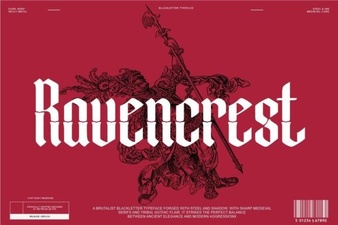 Ravencrest Font: Bold, Elegant Design for Creative Projects
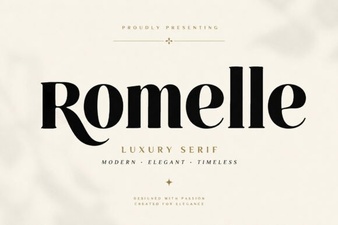 Romelle Font: Elegant & Versatile Design Choice
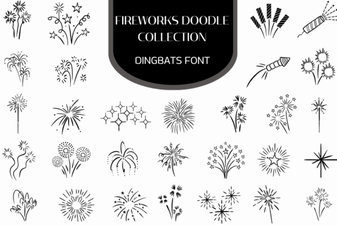 Firework Doodle Font Collection for Creative Projects
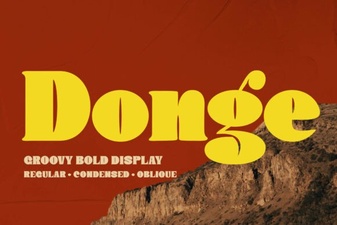 Donge Font: Elegant & Versatile Design Inspiration
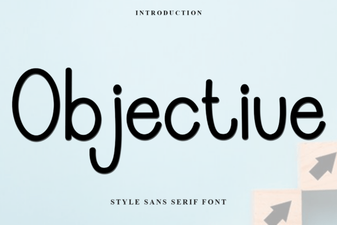 Objective Font: Clean, Versatile Design for Modern Projects
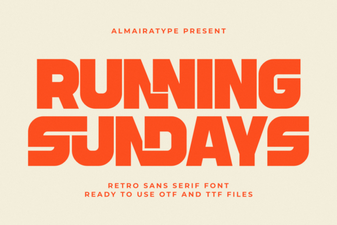 Running Sundays Font: a Playful, Dynamic Typeface for Runners